Hi,
I’m trying to add a notions subtype and it won’t save. I’ve tried several notions categories and none of them work. I type the new subtype and press save, and it acts like it saved, but the new subtype doesn’t show up.
Hi,
I’m trying to add a notions subtype and it won’t save. I’ve tried several notions categories and none of them work. I type the new subtype and press save, and it acts like it saved, but the new subtype doesn’t show up.
I just went back and was able to click NEW to add the sub type.
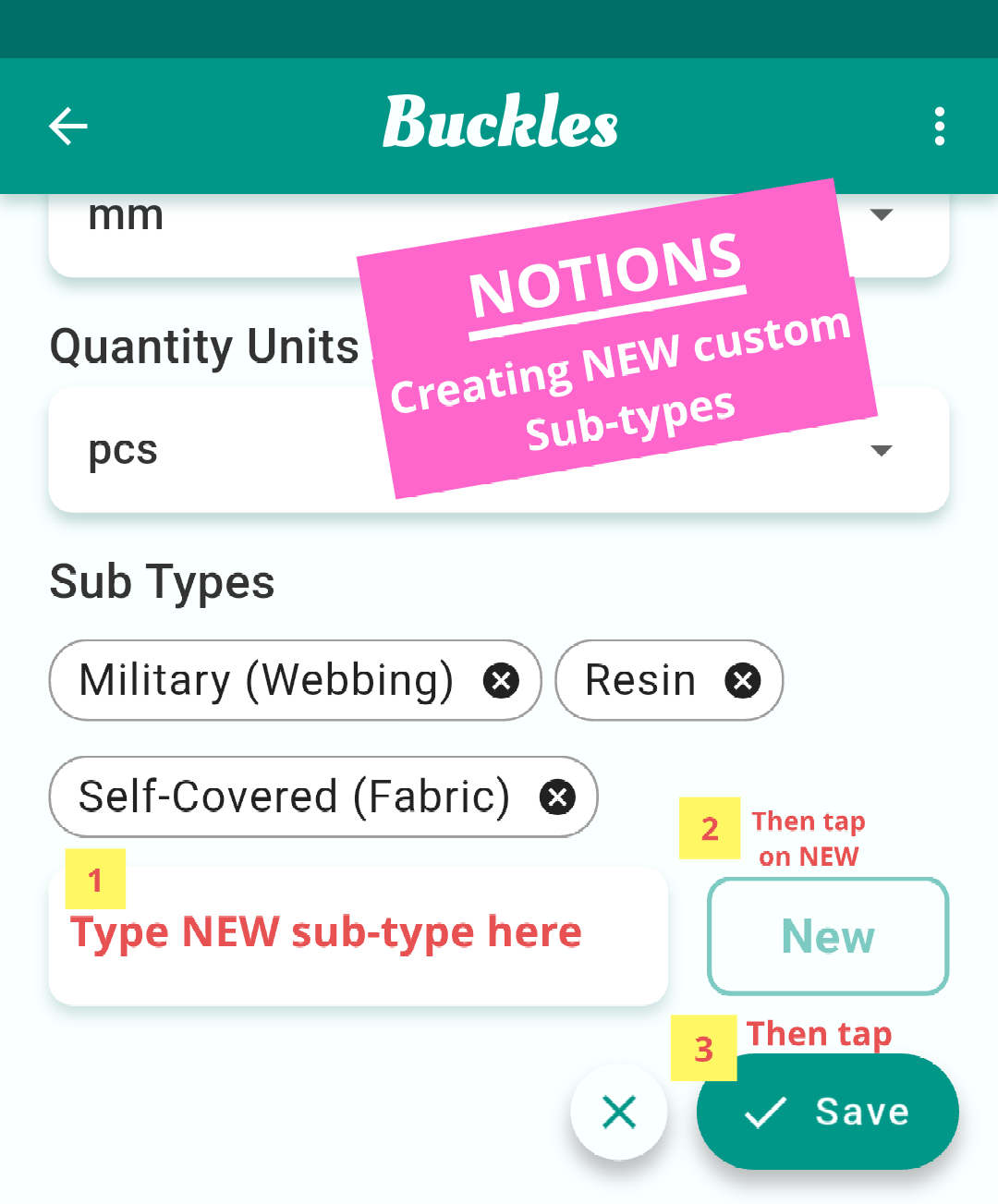
Hi. As @susannesews said, make sure to click NEW next to subtype field.
I was able to add  Sub-types in Notions doing this
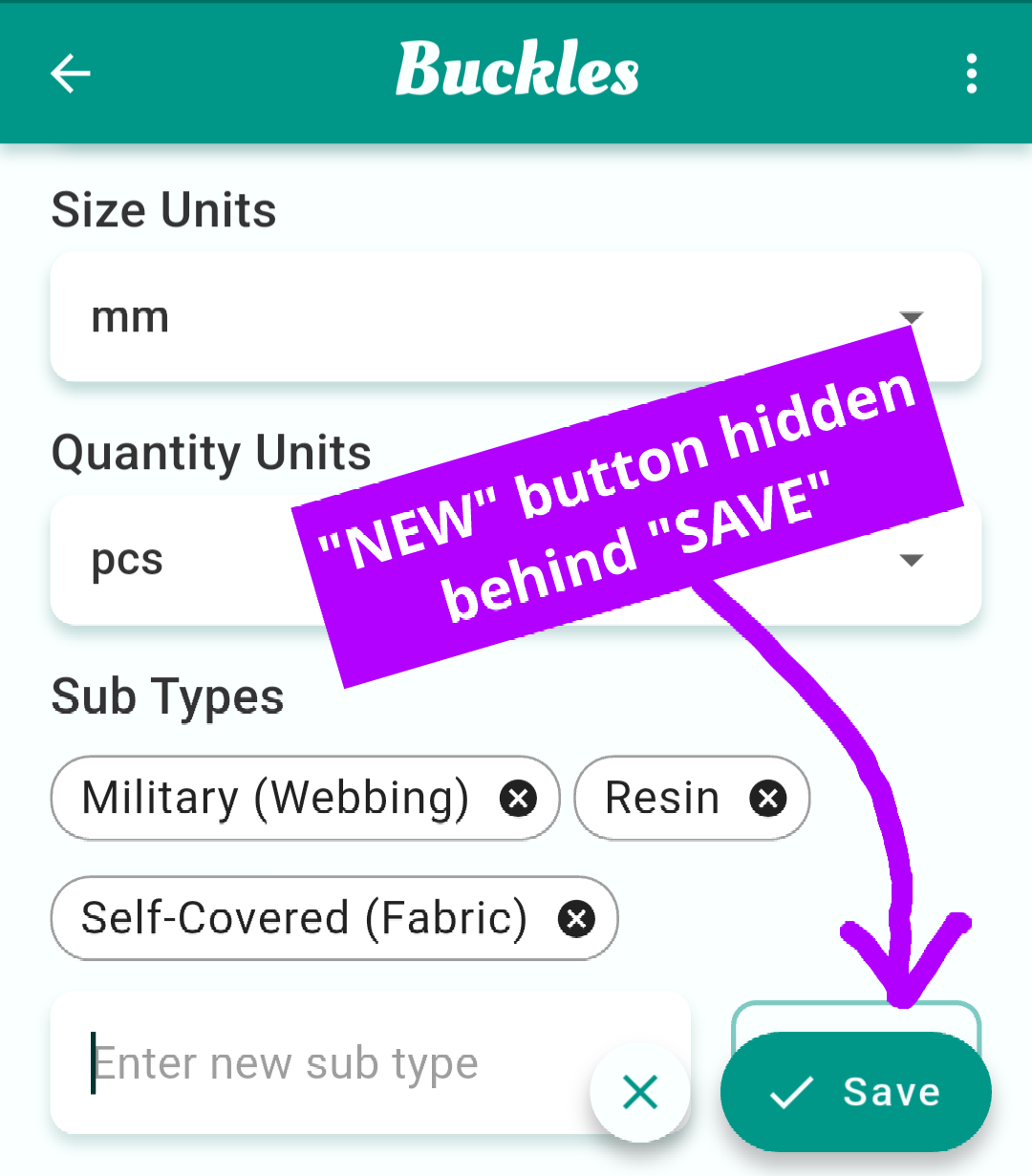
… @TheWizard I think that on a mobile phone that the button can get easily hidden by the “Save” button, so it is easily missed and therefore users can skip pressing , they see “Save”, immediately press Save and then the newly typed sub-type doesn’t actually get saved 
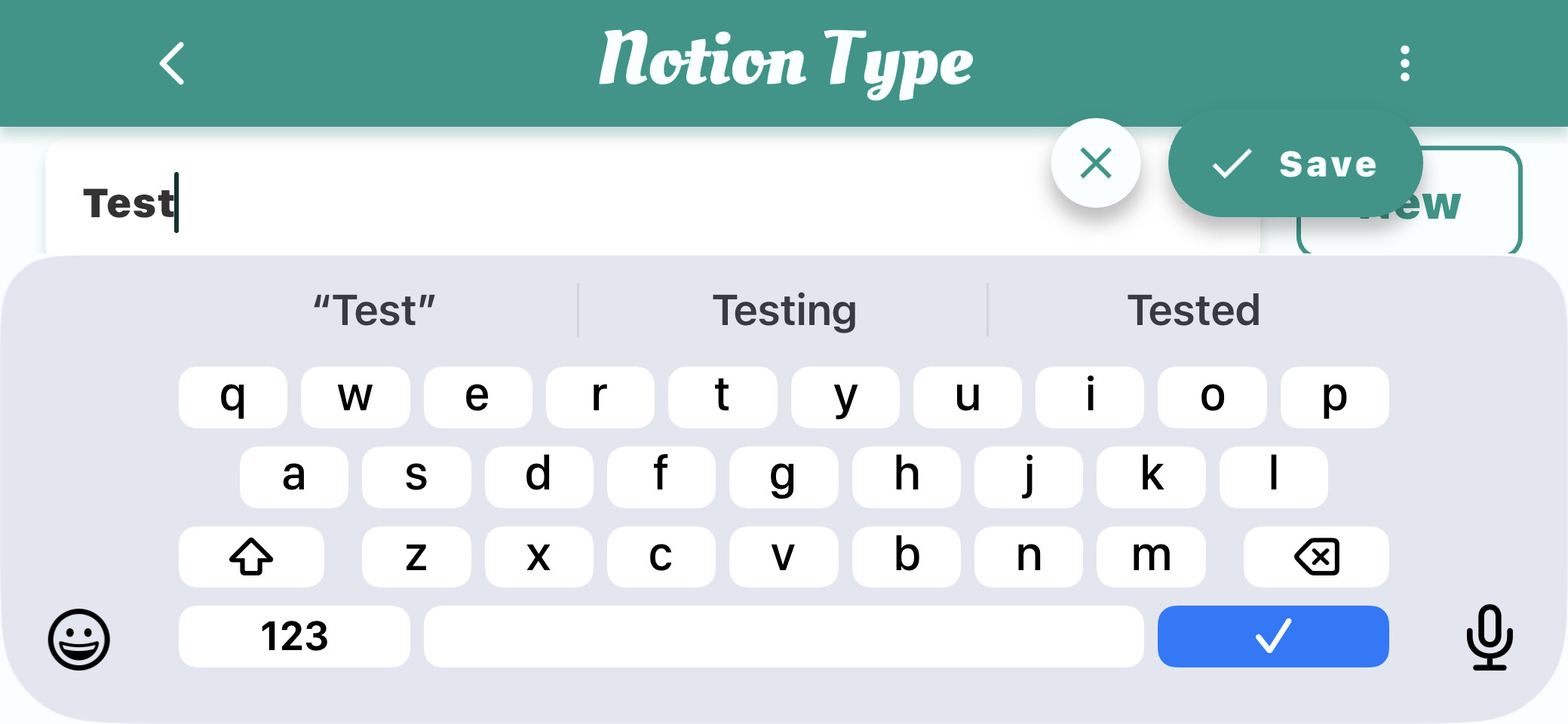
Yes! And now that we know it’s peeking out, we can switch to landscape to more easily select New! I do a lot on my phone, but I also work on my iPad. Just happened to be on my iPad when I checked! Here’s landscape view on my phone.
Yes, now I see the hidden button.
With the virtual keyboard you can also press the action button in the bottom right and it will add whatever value is in the field.