Besties Tee | Flared & Banded T-shirt Sewing Pattern – Pattern Emporium.
This is 1 of 7 patterns so far and non will add photos automatically. I have contacted you via email but problem is still not resolved and this is extremely frustrating! Apart from this continual problem the app is exactly what I want and find it very useful. Please help me resolve this very irritating problem. Many thanks.
2 Likes
Hi it could be the design of the PE website which doesn’t enable the pictures to be loaded. I’ve just tried with a Pattern Emporium pattern - couldn’t get picture then tried a StyleArc one which loaded with the picture. Baffling🤔
1 Like
Pattern Emporium definitely used to work fine - I’ve got quite a few of their patterns and it’s only more recently it stopped working. If magic input was this inconsistent from when I first discovered Stash Hub, it would definitely have been more of a consideration as to whether I bothered subscribing or not.
It’s a shame as it really is a fantastic app, but as it’s growing in new directions and more things being added to it, it seems to be losing some of the basics that are valuable to a lot of us.
@TheWizard is there a fix for this issue in the pipe-line?
2 Likes
The issue is that websites can change which can hinder how Magic Input works. I’ll look into Pattern Emporium specifically in the coming days so please bear with. In the meantime you can always download the images from the website and add them manually (obviously not ideal).
I appreciate your honesty. Are there any other aspects you feel are not up to scratch?
3 Likes
I didn’t mean to sound so moany, sorry! It’s only really the magic input that I get particularly frustrated with, I guess because the functionality of that is a big part of the app for me personally. So to have it being really good in the past, to it failing to get images more recently, I just find it more time consuming to have to save (upto) 8 images individually and then upload them.
I guess I don’t utilise many of the newer features particularly (such as the bulk upload, csv import or magic mockup (this I probably would use more if the line drawings on the pattern websites were compatible, sadly most of the ones I’ve tried aren’t), so I feel I’ve lost the thing I did use but gained things that aren’t overly useful to me - although I’m sure they’re great for other people 
It’s still a fantastic app though and a vital tool for me, I’d be absolutely lost without it for sure.
4 Likes
Ever since the Apple update last week, pictures are not loading from Photos on my Mac but they are on my iPhone… I wonder if something similar will work for you too?
I have the same issue with the magic icon
I’m having the same experience with pattern Emporium, waves and wild and designer stitch.
Something is definitely going on and magic input may be the most important feature of all for me.
I get that it can need updates because browsers and designer web sites change.
2 Likes
Just to add, I am having the same issue with Waves and Wild. The preview just shows empty boxes where the photos should be. I did wonder if it was because their website is loaded at the moment due to them having a closing down sale, causing delays affecting magic input.
It also crashes the app on my iPad, causing it to hang with a white screen. I restart the app and can see it did upload the info though, apart from the photos of course.
2 Likes
I’ve just started using Stash Hub - something I’ve been meaning to do for a while, but kept delaying for a combination of reasons). With Waves & Wild closing I was hoping to use Magic Input to add all the patterns I own so I’ve got the details before the website goes.
I’m getting the same as mentioned above - it’s not accessing photos. It shows me blank boxes with question marks, and not letting me choose which is selected. It turns out to be the same unrelated line drawing that uploads for each pattern. I can manually add photos like I’ve done with the Advent Calendar by downloading the pic then uploading it into Stash Hub.

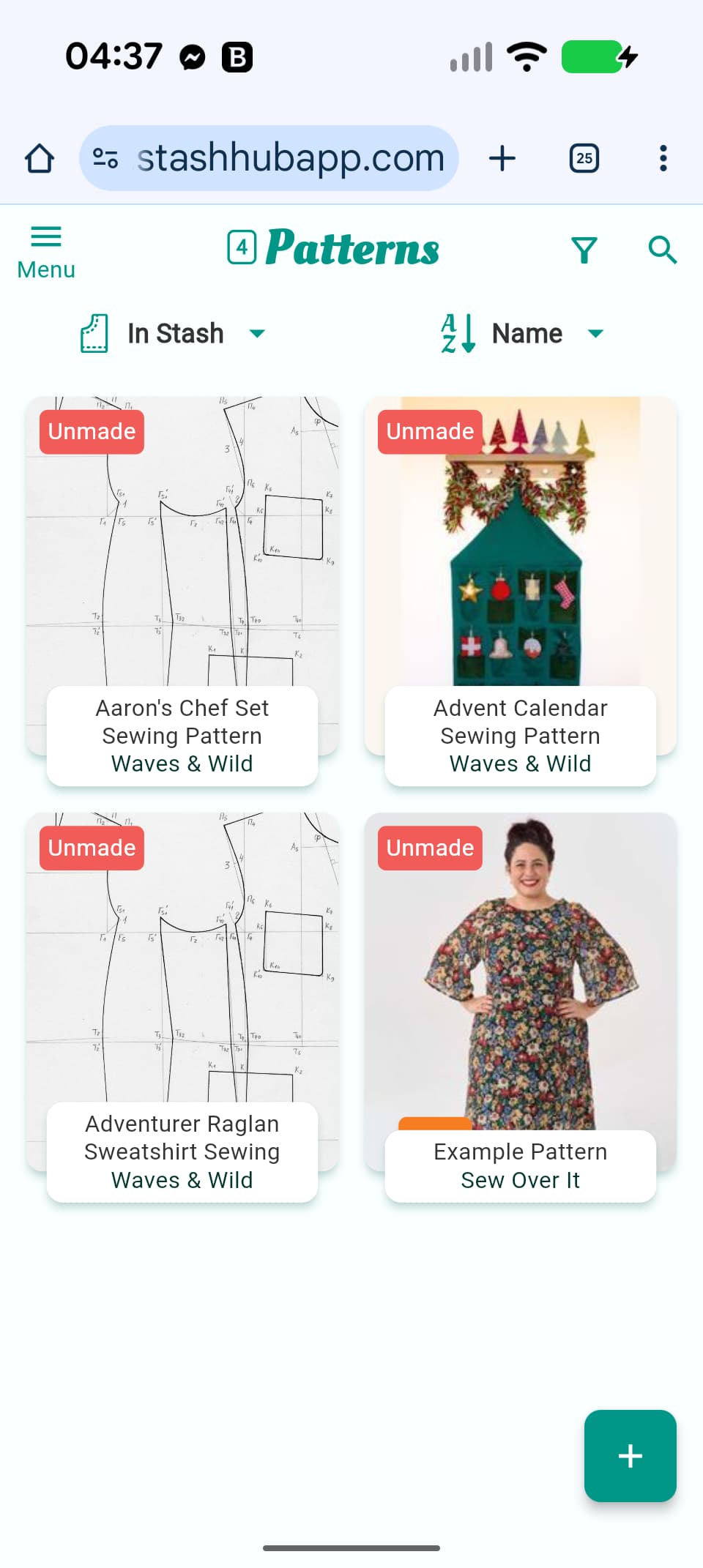
I’m keeping my fingers crossed it’s a temporary glitch due to the W&W website being so overloaded.
Out of Internet once the W&W website has closed will the entries on Stash Hub be affected? I’m not sure if they remain permanently linked, or just grab the relevant information from the website when Magic Upload is used.
Hi Lucy Once a website is closed, you’ll still have all the information you’ve entered or edited. It’s just that the link will go to an error page 403 error I think (page not found).
3 Likes
Perfect - that’s what I was thinking/ hoping.
The errors on the images look like that they were unreachable which is likely a W&W issue. Let me know if it shows up like that for any other websites.
2 Likes
I’ve just made an update to Magic Input which means PE should work better.
2 Likes
I’ve found a workaround for Waves and Wild - search for the pattern on The Foldline site and use that link for the magic input instead 
1 Like
Hi Doug @TheWizard
I’m still having issues with Pattern Emporium (I’ve not checked any other sites recently). As well as missing photos, the Designer is missing now too. This is on both web and mobile versions.
With the photos not adding, can we at least have the ‘add from clipboard’ option that we had briefly back? It’s a real pain having to save images, line drawings and charts etc as individuals but at least with the clipboard option it was a bit quicker. Removed clipboard comment as I’ve just seen that it’s back 
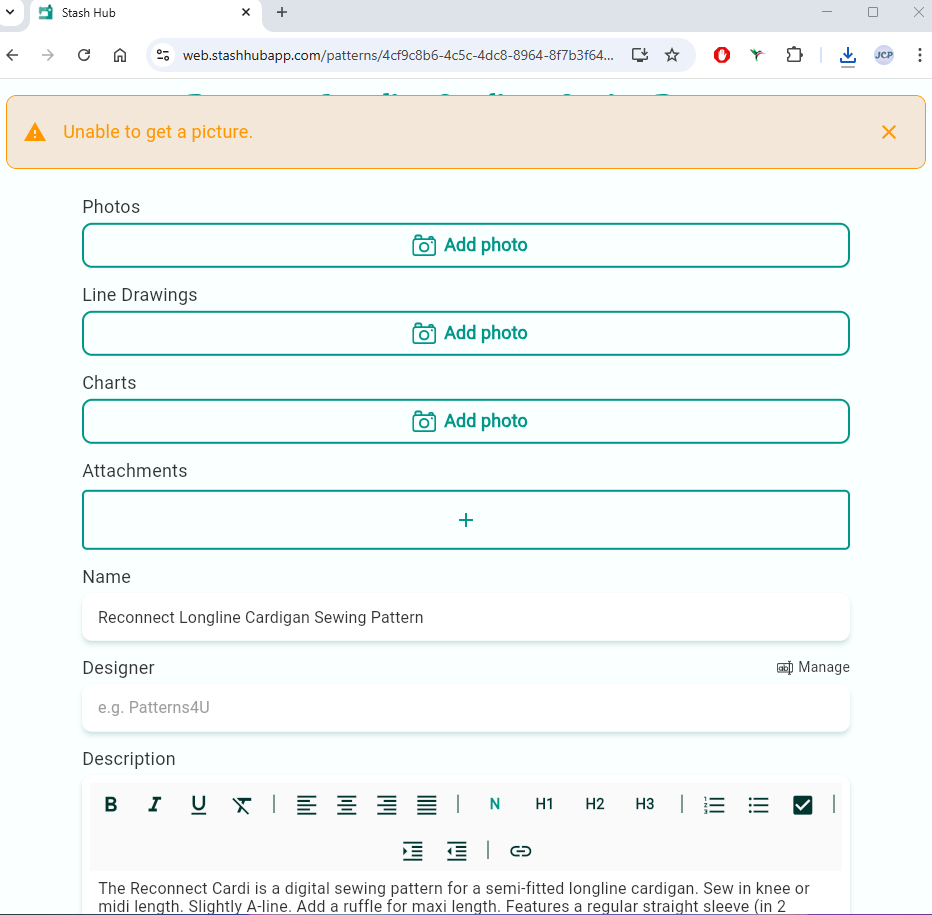
Interestingly, 2 of the PE patterns I tried to add today didn’t show any photos - but another one just did 
This one worked in so much as it gave me a few photos to choose from, but only maybe 10 or so and not all of the photos available on the listing: Tank Dress Digital PDF Sewing Pattern – Pattern Emporium
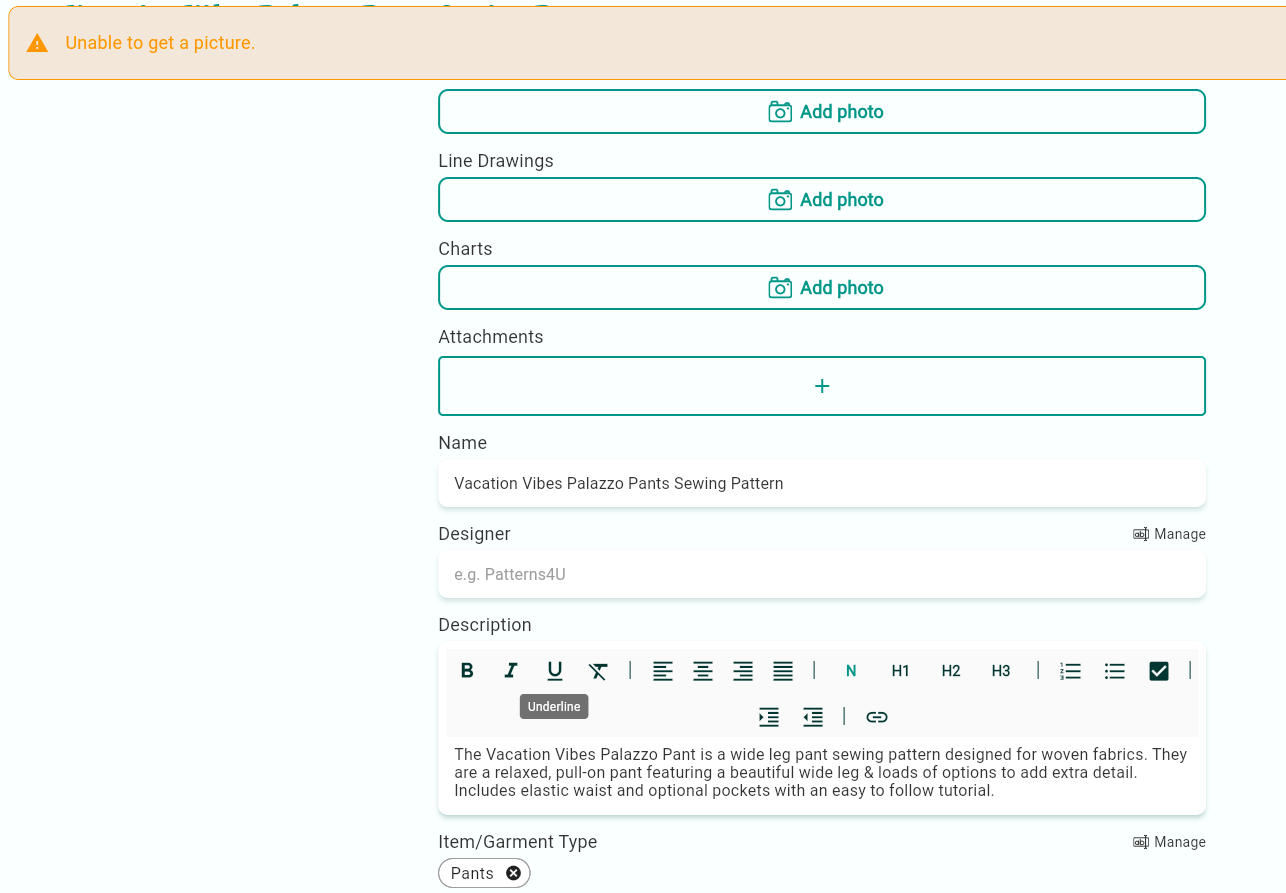
I saw on the 2026 roadmap there are to be improvements to Magic Input, I hope they’re somewhere near the top of the list as it’s pretty frustrating. Certainly from Pattern Emporium website, there’s very little information being picked up - even the Designer no longer gets added.
1 Like
Don’t forget in the meantime, you can use the text option - copy and paste the text from the link page to the Text box and let it sort itself out from there. You’d still have to do the pictures manually but I’ve found the text option helps.
Unfortunately the way some websites ar3 built, this will always be the solution although I’m sure there will be improvements.
2 Likes
Posting for info in case it helps with narrowing down the Magic Input problem specifically on the Pattern Emporium website, not actually complaining for once (I think I’ve done more than enough of that already 
 )
)
This Pattern Emporium pattern missed out the designer and all photos: https://patternemporium.com/products/all-in-easy-fit-shirt-sewing-pattern
However this one added photos and designer:
https://patternemporium.com/products/pdf-pattern-ladies-heartlight-knit-skirt