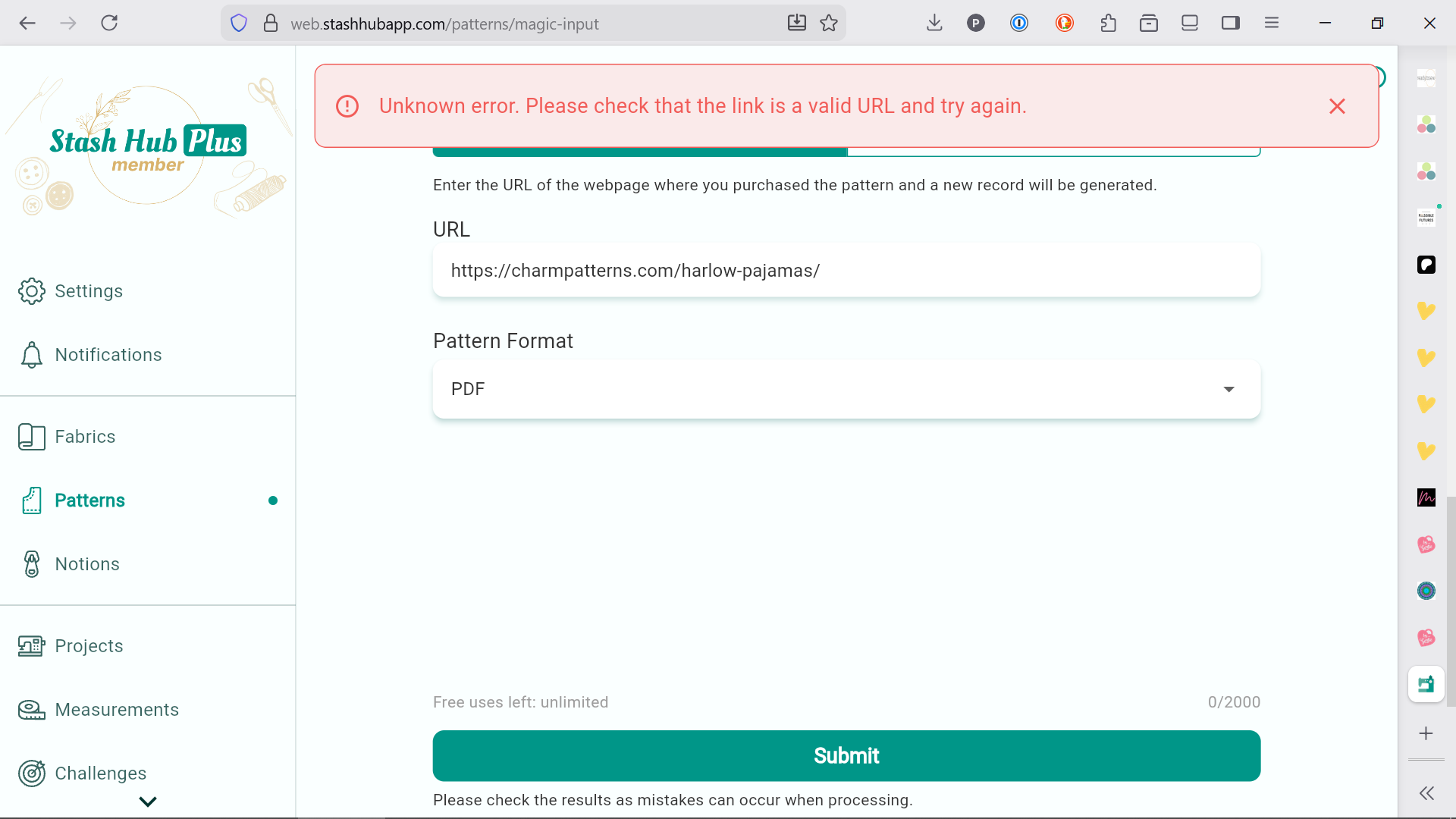
I am having trouble getting Magic Input to work! I am on a Mac and have tried using Chrome, Safari, and Firefox to no avail. I keep getting the error: “Unknown error. Please check that the link is a valid and try again.” If I try using it on the iPhone app, it will process the link but doesn’t pull any of the information or any of the photos. The Magic Input feature is one of the primary reasons I use Stash Hub, so I’d love some help fixing this issue.
I get the same with that link on the iPhone app. It could be the design of the website is not supported; there are others like this.
When I encounter this issue I use the Magic Input text option - copy all the text from the website into the Magic Input box and let it do its work. You won’t get pictures this way but at least it will create a record.
Hope this helps
i hope the smart person/people figure out the cause and the fix - but one thing to maybe try, if you haven’t already, is to find the pattern listed on a different website and try to use magic input there? that might help in figuring out whether it’s that particular site’s formatting vs a bigger problem? (or just, tryiing to add a different pattern from a different site.) good luck! i used magic input like yesterday and it was fine so i have faith that the wizard will have a solution for you and that it will be magical.
Yeah, I’ve tried it on my PC, on my Mac, on my iPhone, in Firefox/Safari/Chrome (on all devices), and tried adding patterns from various sites as well as adding fabric from other sites. Still having trouble.
booo i’m sorry. well, at least that’s information. any clues yet @TheWizard ? (i’m putting off fixing my tension, being nosy about other people’s tech issues is way more fun)
@CouchCrafts I’m putting off finishing my Christmas dress because I want the satisfaction of adding the pattern, fabric, and project, and marking it complete hahaha
YUP ABSOLUTELY
i’m about to switch the top thread so it doesn’t match the bobbin, so i can identify my tension issue and sew like a grownup, wish me luck!!
Hiii now I’m having issues with inputting patterns via magic input too! It’s happened with a couple different sites now so it does seem like not an isolated issue… here’s what I got:
.. @TheWizard an update on my issue: i was able to have some success when using safari on my phone, but i still got some unexpected error messages. i bet there are certain browsers and settings that would be more conducive to magicking input in the future, so i can keep that in mind, but also it’s probably good to tell you when there are issues with browsers we commonly use – right? this is helpful not nagging?
Are you using Stash Hub within the browser? Or the mobile app? My issues persist in Mac/PC browsers and in the iPhone app, but I haven’t tried the web-version on my iPhone. Been working with @TheWizard over the last week or so to troubleshoot. Hopeful we can get it working soon!
ohhh i’ve been using browsers on my PC, and then the app, but i hadn’t tried the web version on my phone either. i have a lot of screentime blocking on my phone so it’s much clunkier for me to magically input things on the phone than on Big Internet. ok thanks for working on it!!
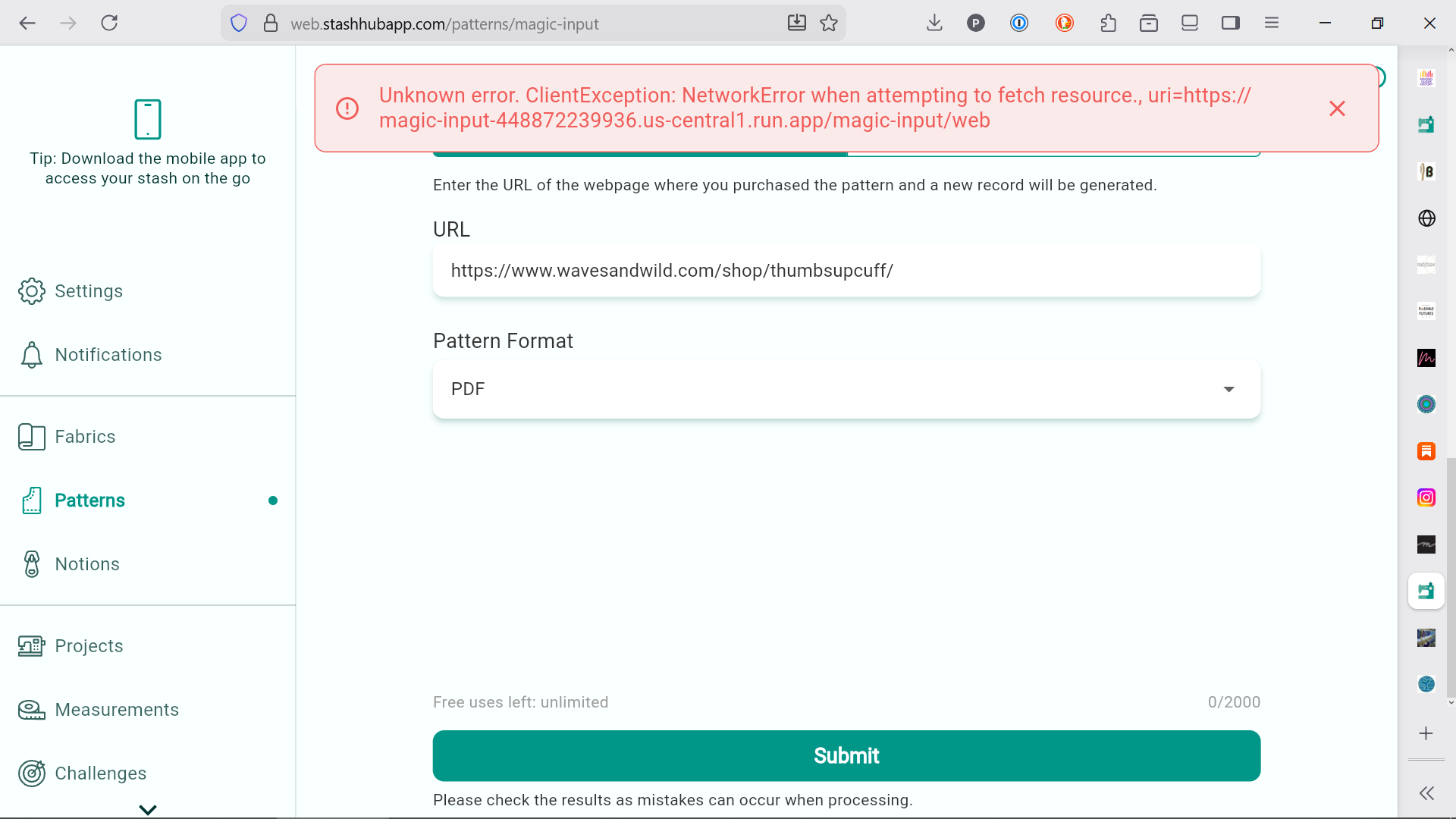
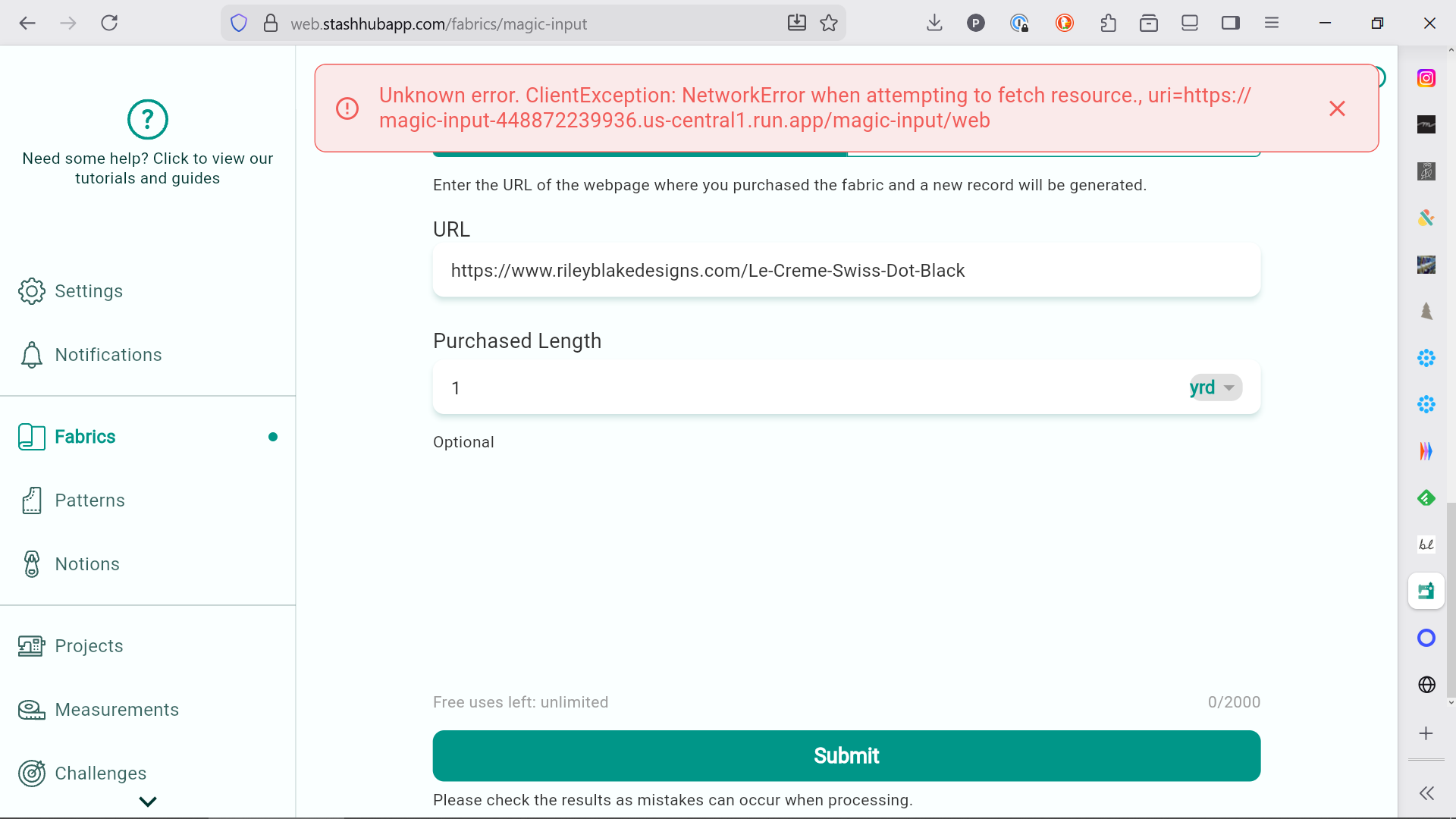
I’ve just pushed an update (on web), that should show more info about the error so please add a screenshot if you try Magic Input again and you get the “Unknown error”.
Thanks for sharing. This implies that your computer and/or network isn’t able to call the server for some reason. It would be really helpful if you could try in an incognito browser session (as you may have some extensions that block this for some reason)? Or even a different browser (although it really shouldn’t matter).
ok! i will figure out what incognito means in this context…i will say i wasn’t having this problem until recently, i think, so that’s what made me think it had to do with something changed on the programming end. but who knows! more detective work!
@TheWizard ok i figured out incognito mode AND was successful in magically summoning this pattern so if that’s a clue, yay, and if that’s what i have to do going forward, i can, but if there’s a setting i should do in my main browser which is firefox (non incognito generally) then i would love to not have to use a separate browser. (i don’t tend to use my phone’s browsers, so though i use the SH app on my phone a lot it doesn’t tend to be in interaction with anything else except the camera/photos apps.) thx! (honestly, the gender stuff is way more important to me than magic input so i hope that topic hasn’t gotten lost in the shuffle.)
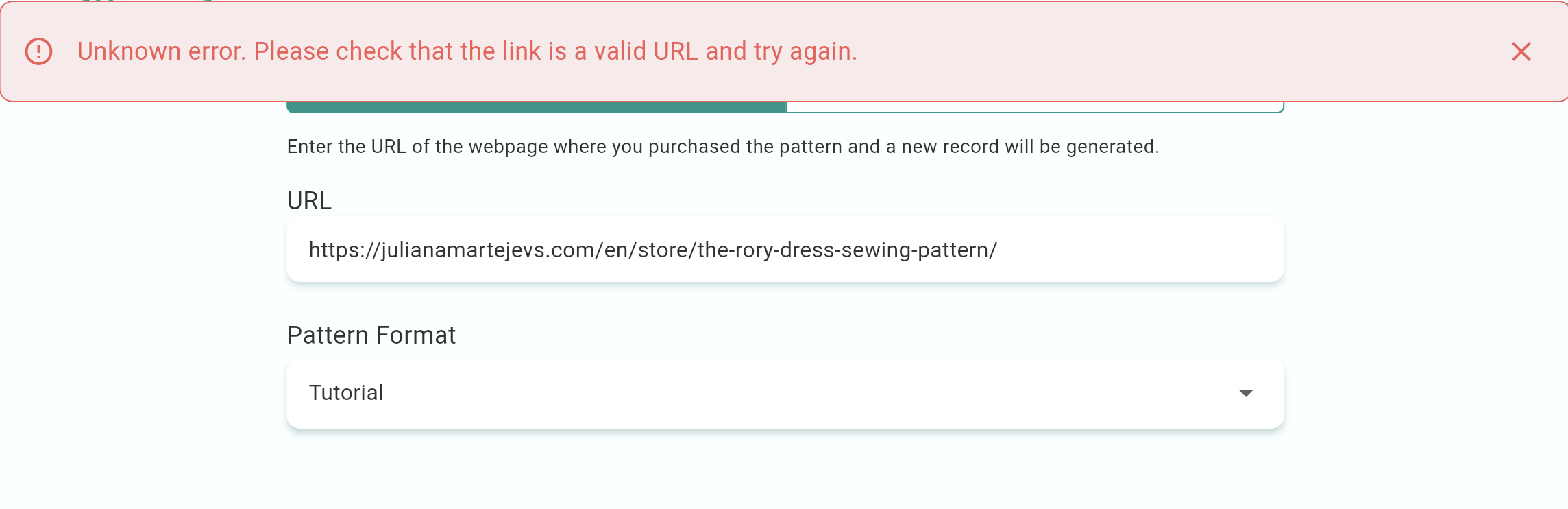
 Still having trouble.