Would it be possible to have the images/thumbnails in the inspiration section fixed squares like they are for completed projects? I just find it a bit messy looking without a fixed ratio.
Even better, could we then select the size of the thumbnails (for completed items, fabrics etc too) so that more images fit on the screen at the same time (I’m sort of equating it to my phone gallery and how I can see rows of 3, 5 (or more) square photos.
I agree with you. In the meantime I found I got a better result by not including the link in the link field but I put it in the notes. I save a picture the same way as I do for patterns or fabric.
There is #377 on the roadmap addressing this issue. Sorry can’t get a link to the roadmap item to copy.
Adding the link in the notes instead is a good idea, that would work to get rid of some of the text at least.
I didn’t spot it was on the roadmap already
That item is not to make all the aspect ratios the same.
I decided to have the grid be more dynamic because images pulled in from links (and also just inspiration in general) is going to be much more varied (than a fabric or pattern image) and having a fixed aspect ratio would likely cut off a lot of the image.
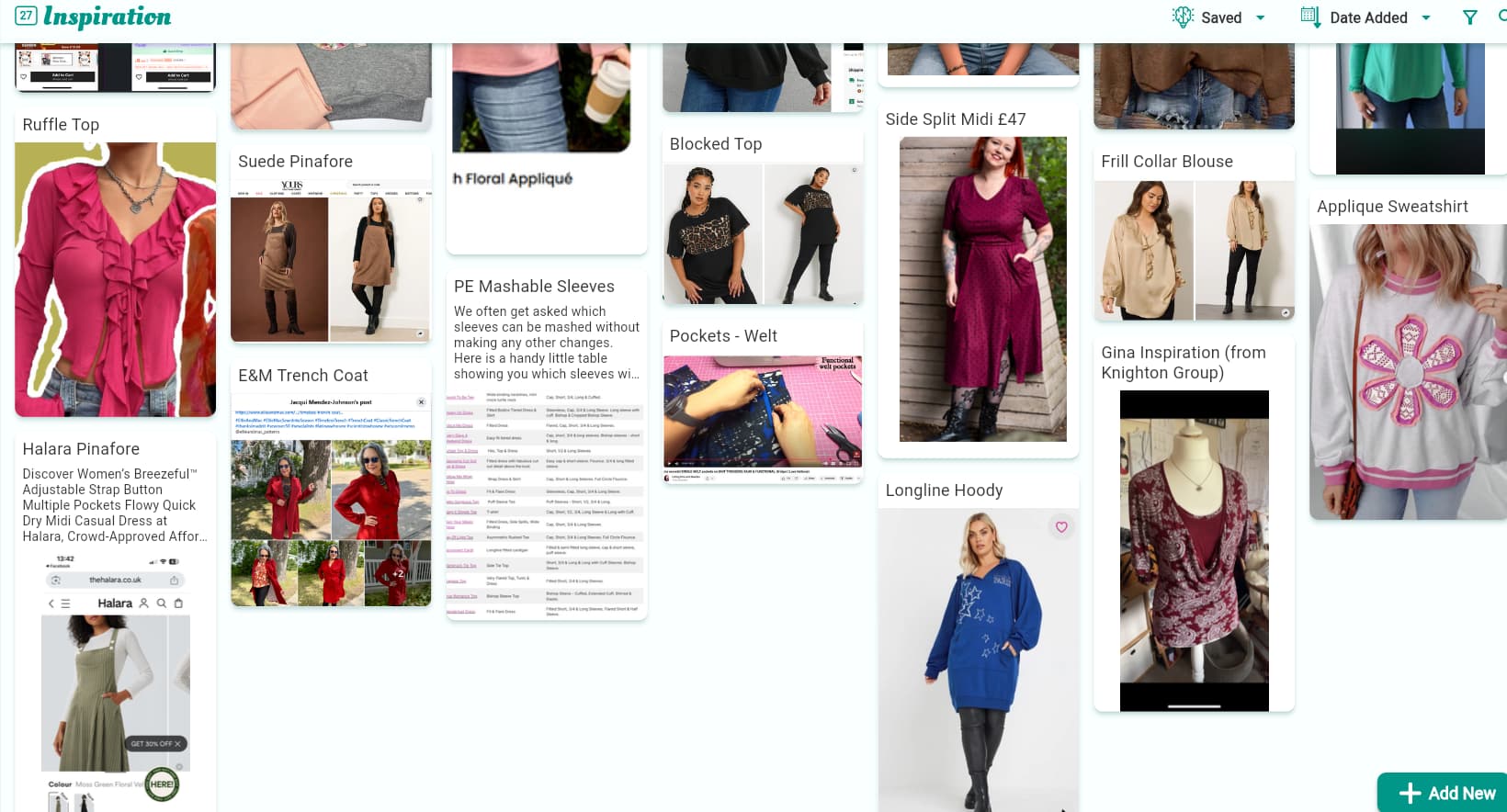

 when scrolling my saved Inspiration
 .
.