@ClaireSews Can I ask how you have edited the notions names? I can see where to add one, but I like the idea of the little emojis but don’t seem to be able to edit the name of each one.
@Suze I’m a Forum Moderator - so I’ve moved your Q to a fresh
topic in order to answer it. I feel this way it’ll be a searchable topic for others loiking for a similar answer smile
.

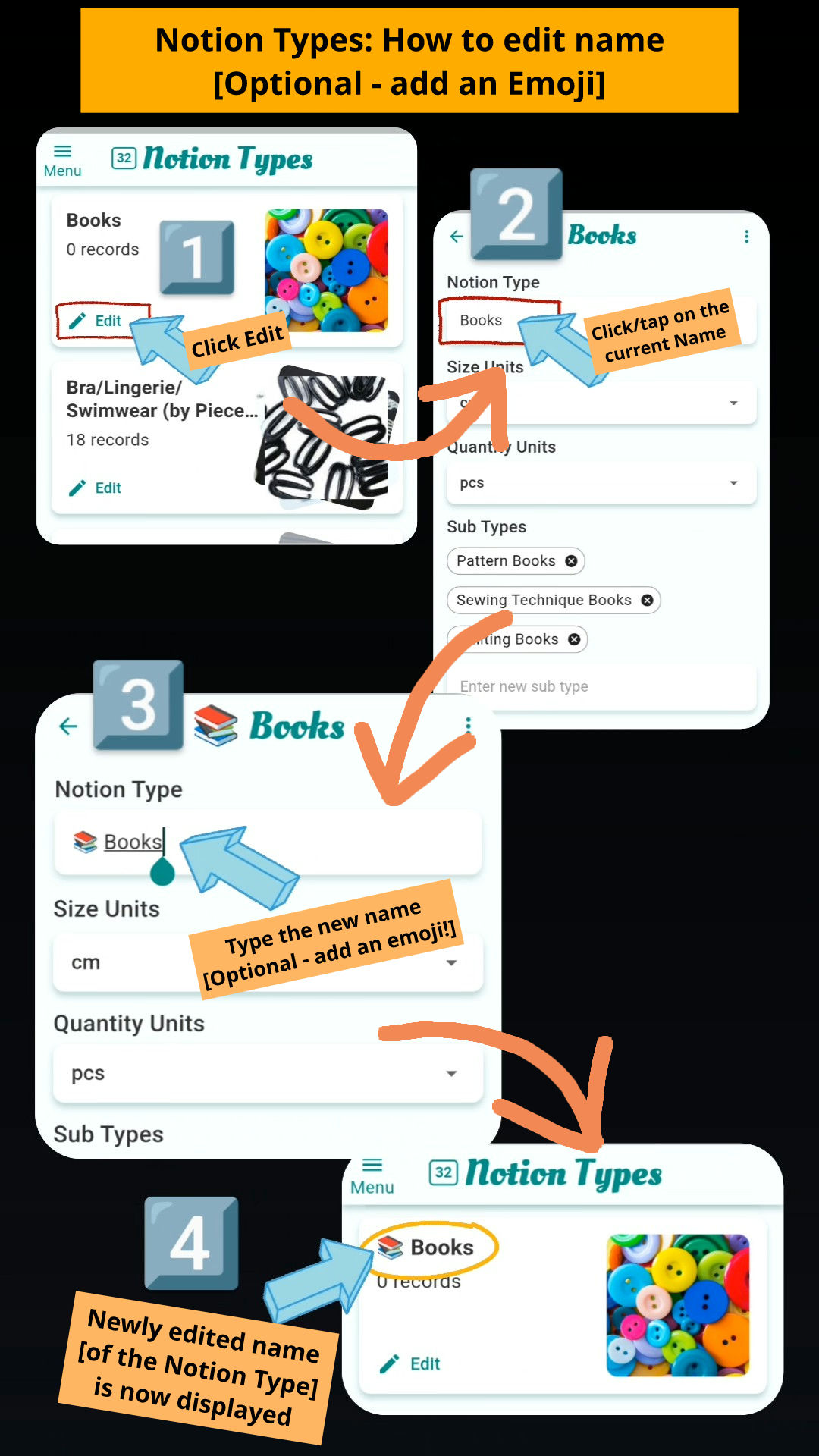
 Click Edit.
 Click/tap on the current Name.
 Type the new name [Optional - add an emoji!].
 Newly edited name [of the Notion Type] is now displayed.
 also this official tutorial too for more information about Notion Types